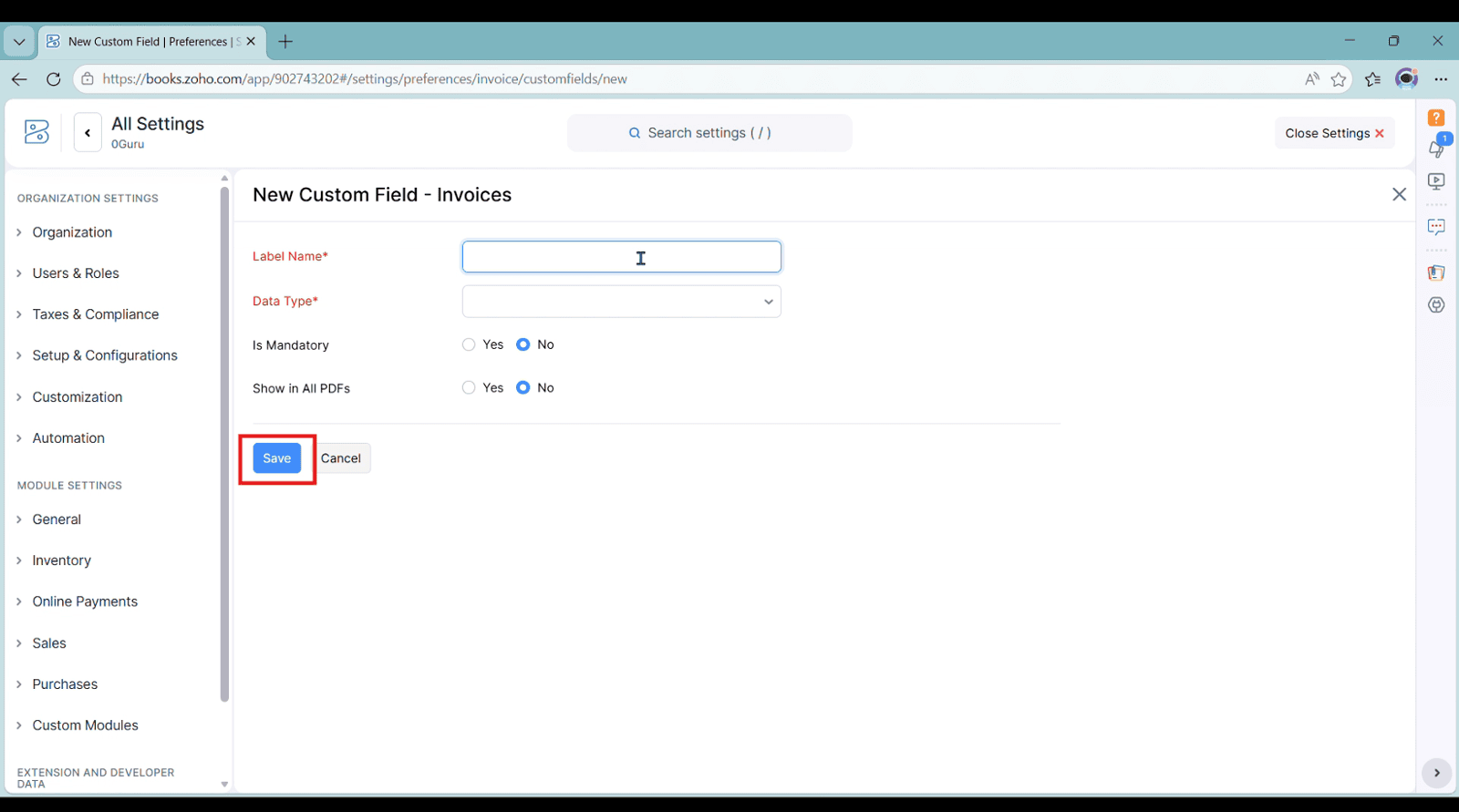
Add Custom Fields in Invoice in Zoho Books
You can see our approach in the video below for adding Custom Fields in Invoice in Zoho Books

Our Approach
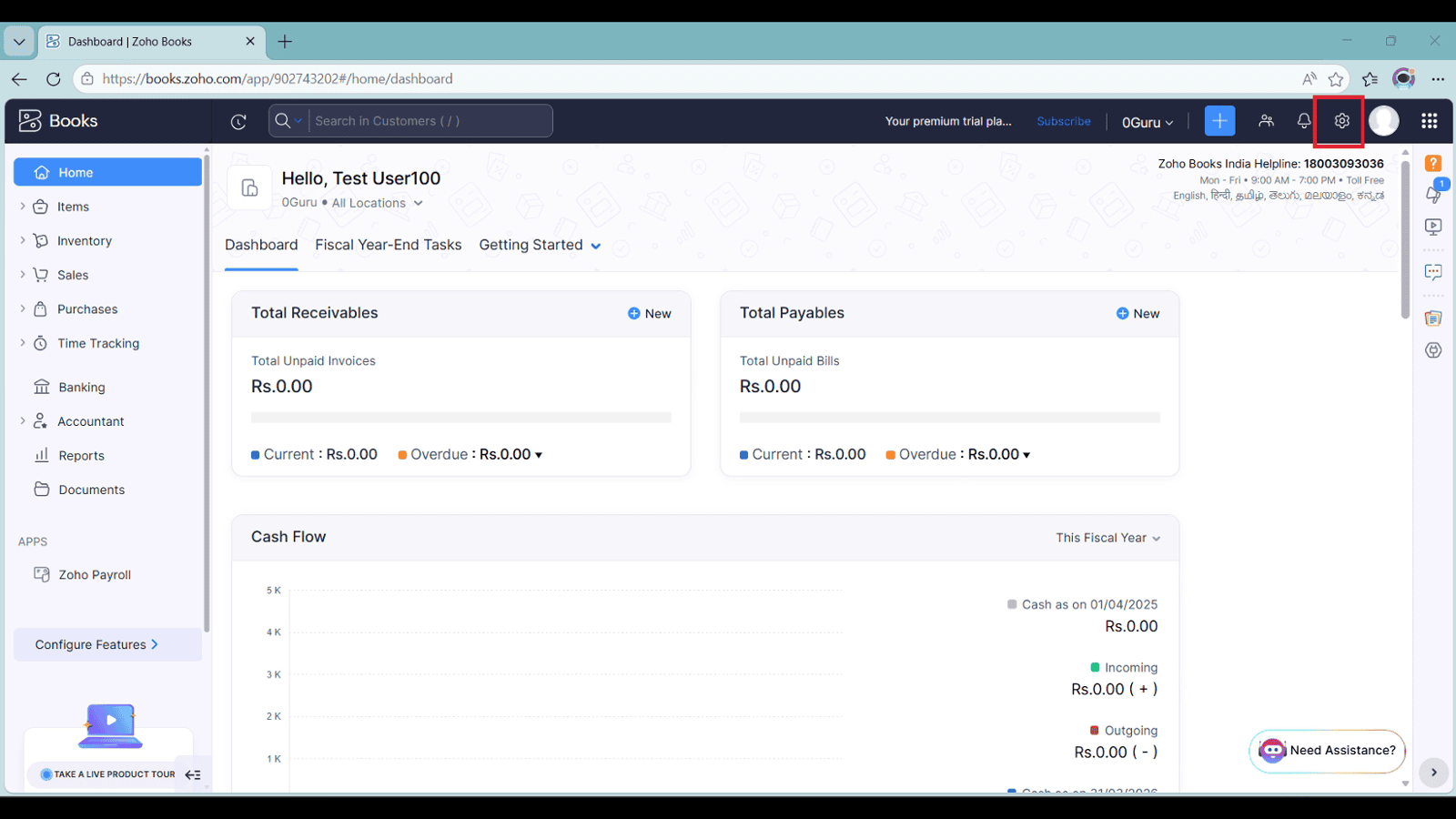
1. Go to 'Settings' on top-right corner
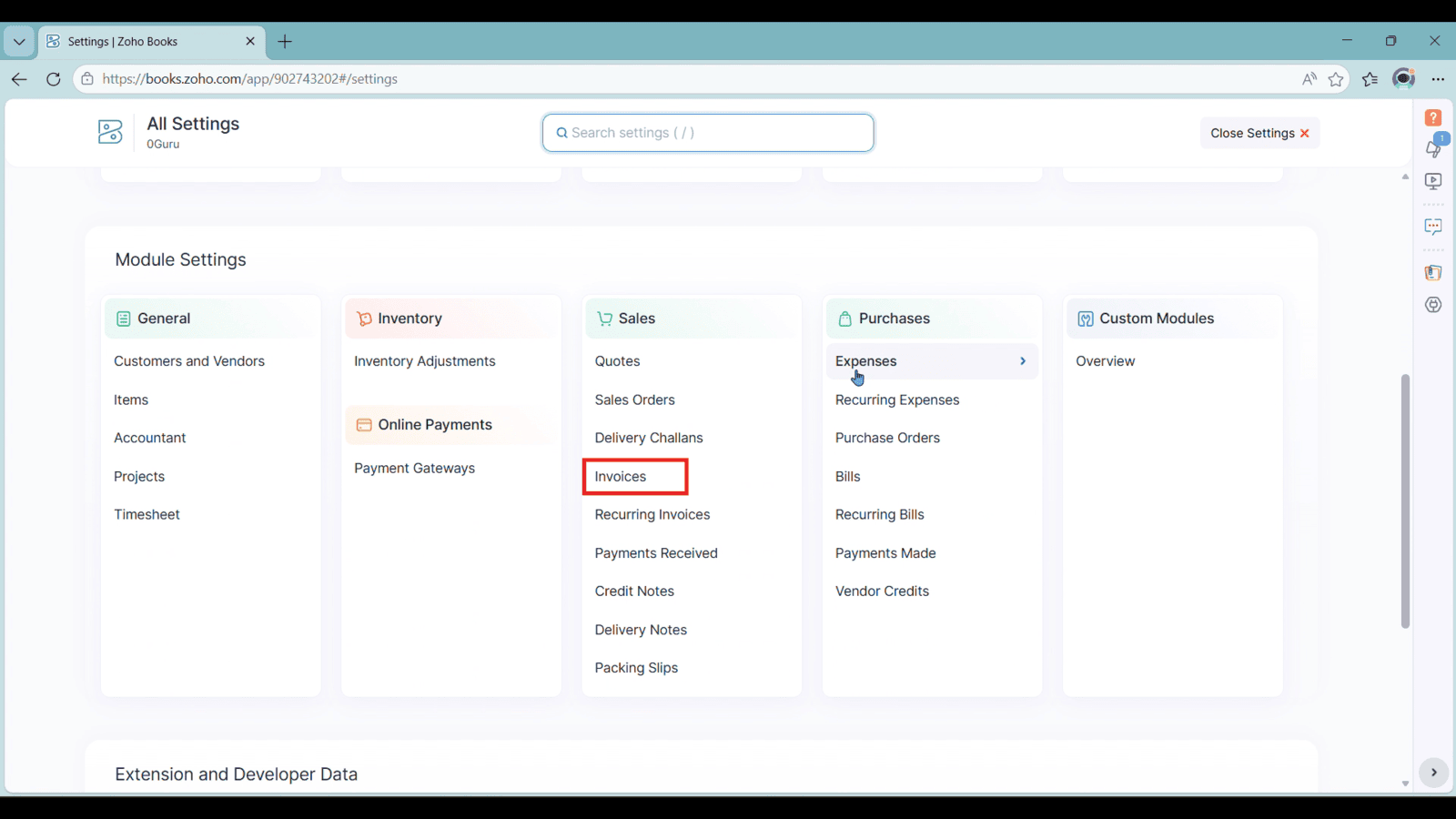
2. Under 'Sales', tap 'Invoices'
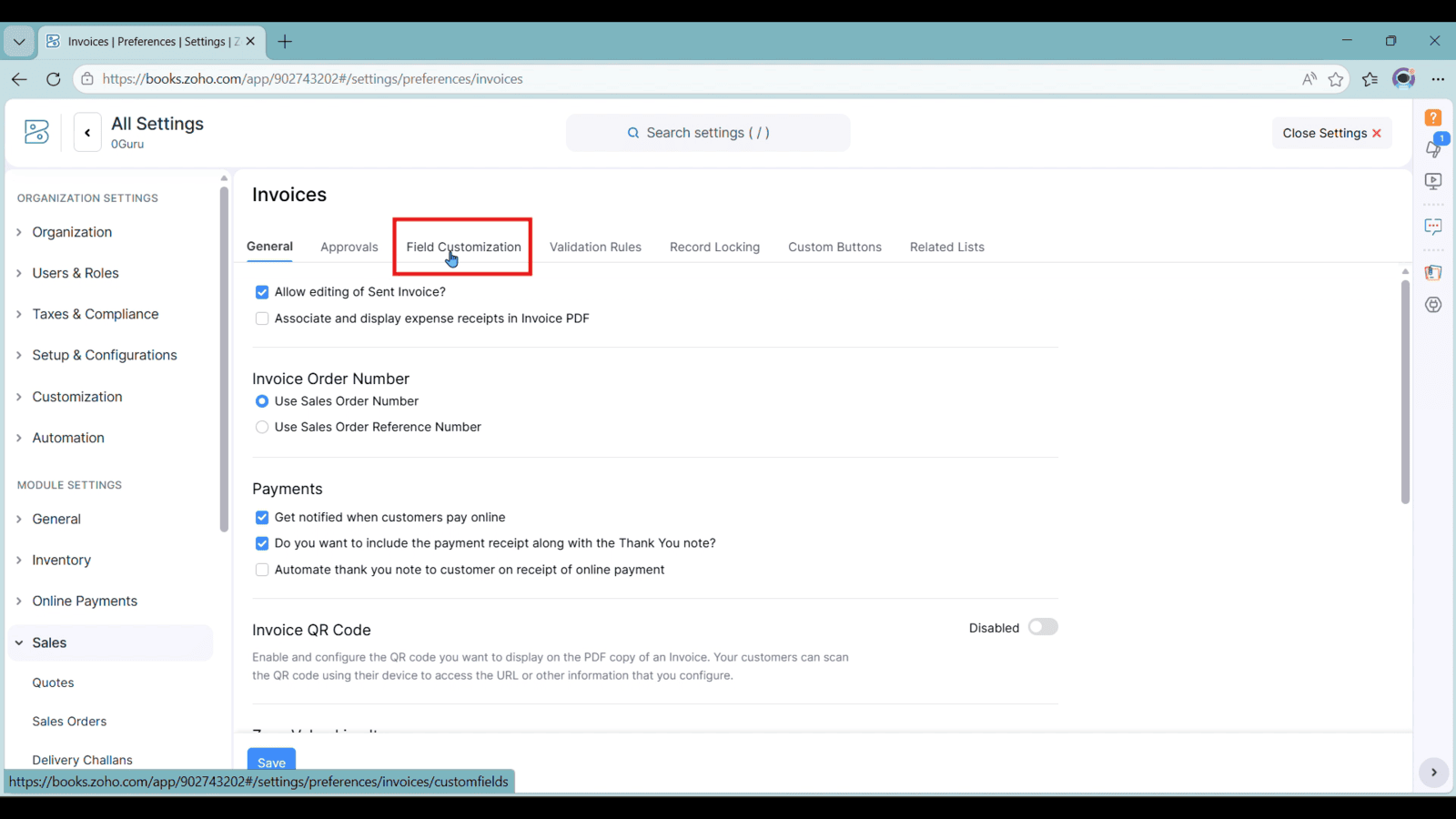
3. click 'Field Customizations'
4. click 'New Custom Field'
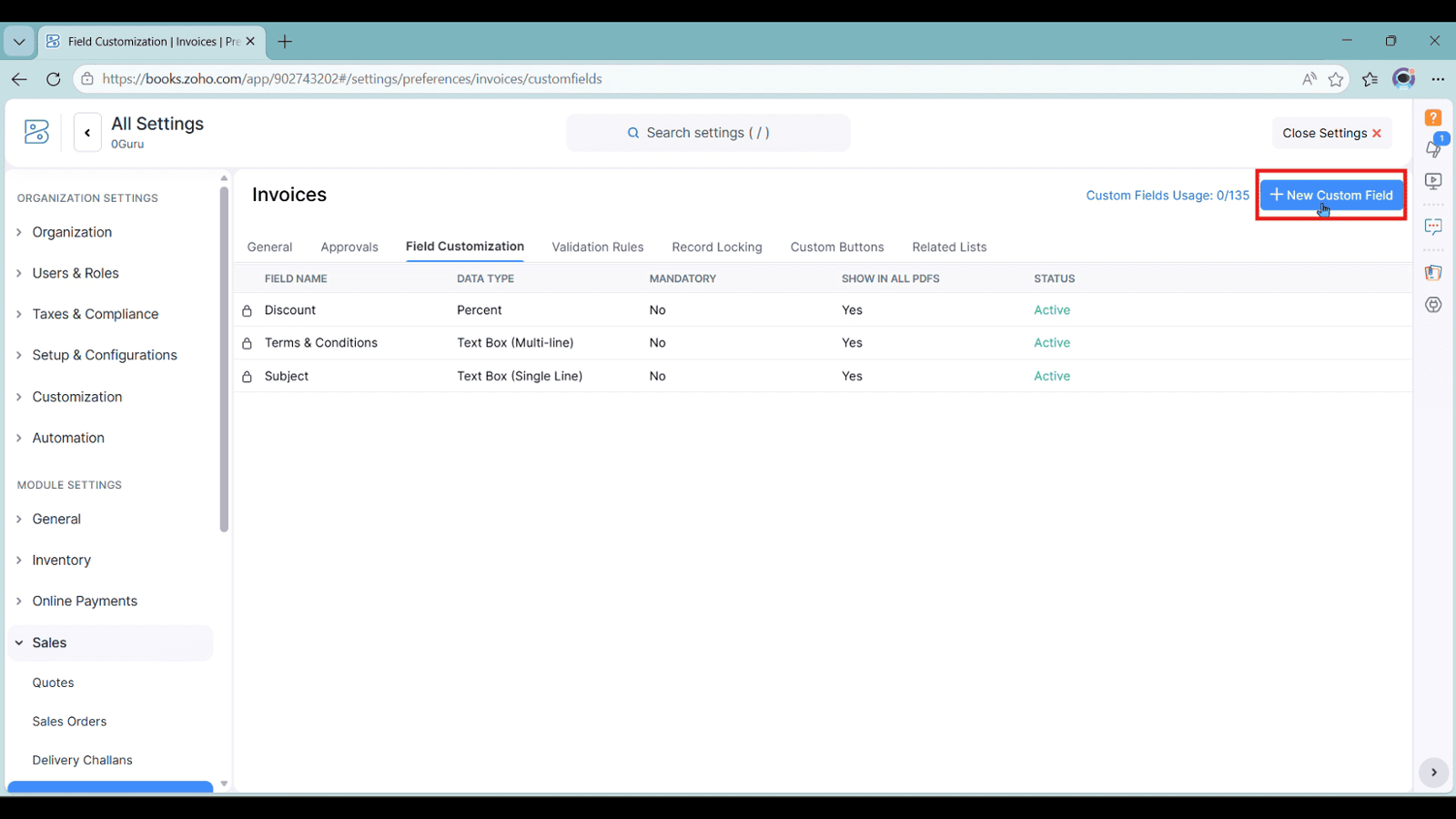
5. Fill the 'Name' and choose its 'Data Type', then click 'Save'